A hands-on comparison of ChatGPT, Claude, and Gemini for real development work, covering code generation, debugging, large codebase handling, context limits, and cost.
ChatGPT vs Claude vs Gemini Which Is Better for Coding
Every development team we work with asks the same question within the first week of adopting AI tooling: which model should we actually standardize on? After running all three models across production TypeScript, Python, and Go repositories for daily tasks such as feature scaffolding, bug triage, migration work, and code review, the honest answer is that they are no longer separated by raw intelligence. They are separated by workflow fit.
This comparison is based on practical usage patterns rather than marketing claims. It covers where each model wins, where each one fails in ways that cost you time, and how to pick without wasting a month on trial-and-error.
Quick Answer: Claude is generally best for large codebases, refactoring, and agentic multi-file edits. ChatGPT is best for fast problem solving, algorithms, and broad ecosystem tooling. Gemini is best for huge context windows and Google Cloud or Android work. For most professional developers, Claude and ChatGPT together cover the widest range.
What Does "Better for Coding" Actually Mean?
Before comparing models, define the metric. "Better at coding" is not one skill. In real engineering work it splits into six measurable capabilities:
- Single-function correctness - can it write a working function on the first attempt?
- Multi-file reasoning - can it change five files consistently without breaking imports or types?
- Instruction adherence - does it follow your conventions, or invent its own?
- Context retention - can it hold a large repository in working memory?
- Debugging accuracy - can it find the real root cause instead of the first plausible one?
- Restraint - does it avoid rewriting code you never asked it to touch?
A model can score high on point one and low on point six, which is exactly why benchmark leaderboards often disagree with developer experience. SWE-bench Verified, the most cited real-world coding benchmark, measures whether a model can resolve actual GitHub issues from open-source Python repositories. Frontier models from all three labs now score above 70 percent on it, up from under 5 percent in 2023. That trajectory matters more than the exact ranking, because the gap between the top three is now smaller than the gap between a good prompt and a bad one.
ChatGPT for Coding: Speed and Ecosystem Reach
ChatGPT's strength is breadth. It is the model most likely to have seen an obscure library, a legacy framework version, or a niche error string, and it is the fastest at turning a vague description into a working prototype.
Where ChatGPT Wins
- Algorithmic and data-structure problems. Its reasoning modes handle dynamic programming, complexity optimization, and math-heavy logic with consistently strong results.
- One-shot scripts and glue code. Bash utilities, data-cleaning scripts, regex, SQL queries, and CI configuration come out clean and usable immediately.
- Tooling ecosystem. Code interpreter execution, image input for reading screenshots of stack traces, and the widest set of third-party IDE plugins.
- Explanation quality for juniors. It teaches well, breaking down unfamiliar patterns into digestible steps.
Where ChatGPT Falls Short
In long refactoring sessions, ChatGPT drifts. It is the most likely of the three to silently change a variable name, drop an edge case you specified twenty messages earlier, or return a truncated file with a comment like "rest of code unchanged" when you needed the full file. On repositories above roughly 40 files, we consistently spent more time verifying its output than with Claude.
Claude for Coding: Large Codebases and Agentic Editing
Claude has become the default choice among professional software teams for one reason: it behaves like an engineer who read your codebase before touching it. Its instruction adherence is the strongest of the three, which is the single most valuable property when the AI is editing real files rather than answering questions.
Where Claude Wins
- Multi-file refactors. Renaming an entity across a service layer, extracting shared logic, or migrating a framework version stays internally consistent.
- Following conventions. Give it a style guide or an existing file as reference and it matches your patterns instead of imposing generic ones.
- Agentic terminal work. Claude powers command-line coding agents that can read files, run tests, and iterate until the suite passes, which is a fundamentally different workflow from copy-pasting snippets.
- Restraint. It is least likely to rewrite unrelated code, which dramatically lowers code-review overhead.
- Front-end output quality. Generated React and Tailwind interfaces tend to need fewer visual corrections.
Where Claude Falls Short
It is more conservative. Ask an open-ended architectural question and you sometimes get a careful answer where you wanted a bold one. It can also be verbose in explanation-heavy replies, and heavy agentic usage consumes token budgets fast, which matters for cost-sensitive teams.

Gemini for Coding: Context Size and Google Integration
Gemini's differentiator is raw context. Its million-token class context window means you can drop an entire mid-sized repository, a long API specification, and your documentation into a single conversation without chunking anything.
Where Gemini Wins
- Whole-repository comprehension. Questions like "where is authentication state mutated across this project?" work well when the whole project fits in context.
- Google ecosystem work. Firebase, BigQuery, Google Cloud services, Android, and Flutter development benefit from tighter first-party knowledge.
- Multimodal debugging. Feeding UI screenshots, architecture diagrams, or long video walkthroughs alongside code is genuinely useful.
- Cost efficiency at scale. Its lighter models are among the cheapest capable options for high-volume automated code tasks.
Where Gemini Falls Short
Large context is not the same as good attention. In practice, details buried in the middle of a very long context get less weight than details near the start or end, so a huge window does not guarantee the model uses the right file. Gemini is also the most inconsistent of the three across attempts on the same prompt, and it is more likely to over-produce code, returning a 200-line answer to a 20-line problem.

Head-to-Head Comparison Table
| Capability | ChatGPT | Claude | Gemini |
|---|---|---|---|
| Single-file code generation | Excellent | Excellent | Very good |
| Multi-file refactoring | Good | Excellent | Good |
| Instruction adherence | Good | Excellent | Moderate |
| Effective context handling | Very good | Excellent | Good (largest window) |
| Debugging root-cause accuracy | Very good | Excellent | Good |
| Algorithms and math logic | Excellent | Very good | Very good |
| Terminal or agentic coding | Yes | Yes (strongest) | Yes |
| Multimodal input for code | Yes | Yes | Yes (strongest) |
| Google Cloud and Android depth | Moderate | Moderate | Excellent |
| Avoids unrequested rewrites | Moderate | Yes | No |
| Cost efficiency at high volume | Moderate | Moderate | Best |
How to Choose Based on Your Actual Work
Stop asking which model is smartest and start matching the model to the task shape.
Choose Claude If
You maintain an existing codebase larger than a few thousand lines, you care about diffs staying small and reviewable, or you want an agent that edits files and runs tests autonomously. This is the correct default for professional teams shipping to production.
Choose ChatGPT If
You are prototyping quickly, solving isolated algorithmic problems, working across many unfamiliar languages, or you want the strongest general assistant that also happens to code well. It is also the best learning companion for developers building fundamentals.
Choose Gemini If
Your stack sits on Google Cloud, you build Android or Flutter apps, you need to reason over enormous documents plus code together, or you are running high-volume automated code generation where per-token cost dominates.

Practical Rules That Improve Output From All Three
Model choice explains maybe 30 percent of output quality. Your process explains the rest. These rules produced the biggest measurable gains in our workflows:
- Give the model the real file, not a description of it. Paraphrased context produces hallucinated APIs.
- State your constraints up front. Language version, framework version, style rules, and forbidden dependencies belong in the first message.
- Ask for a plan before code on anything touching more than two files. Reviewing a wrong plan costs one minute; reviewing wrong code costs thirty.
- Demand full files for edits. Partial diffs with elided sections are the leading cause of broken merges.
- Make tests the acceptance criteria. "Change this until
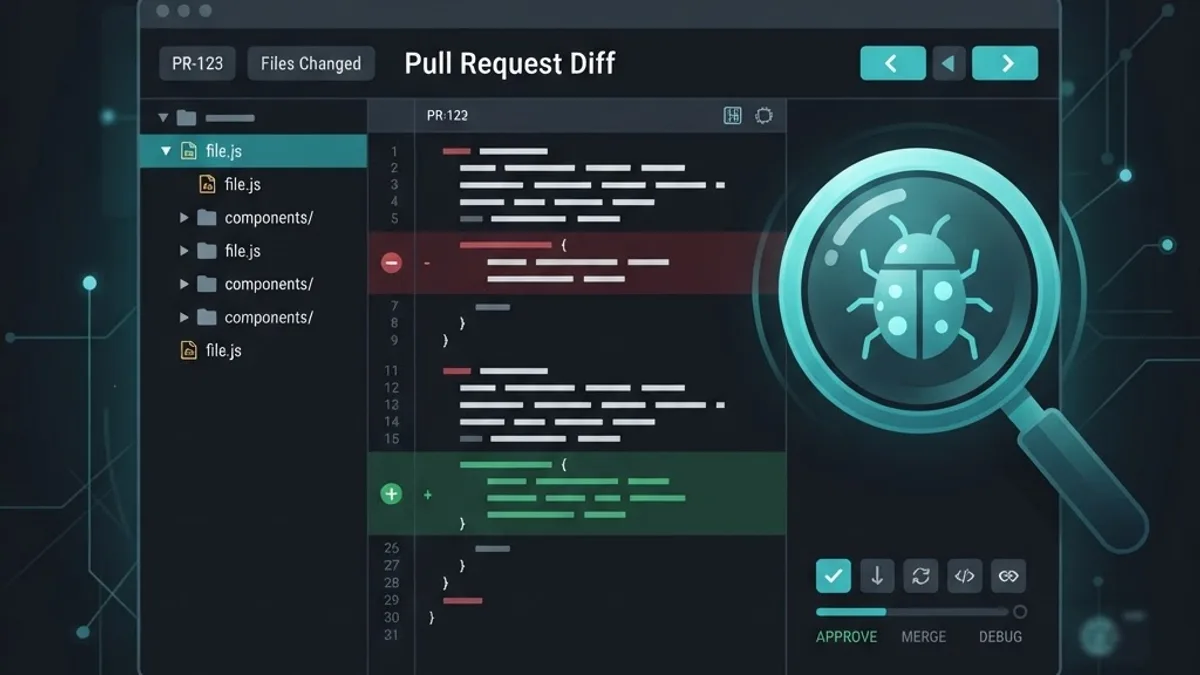
pnpm testpasses" turns a guessing game into a verifiable loop. - Never let AI code reach production unreviewed. Treat every generated block as a pull request from a fast but unaccountable contributor.
The Security and Trust Angle Most Comparisons Skip
AI-generated code introduces a specific class of risk: plausible-looking insecure defaults. Across all three models we regularly saw missing input validation, over-permissive database queries, secrets read directly into client-side code, and dependency suggestions for packages with known advisories. Research on AI-assisted development has repeatedly found that a meaningful share of generated snippets contain at least one security weakness.
The mitigation is process, not model choice. Run static analysis and dependency scanning on AI-generated code, review every database query for authorization scoping, and explicitly prompt for security review as a separate pass. Teams that need this operationalized properly often bring in specialists, and organizations rolling AI into their delivery pipeline can get structured guidance through ZoneTechify or research-led implementation support at WebPeak. For deeper model selection, evaluation, and deployment strategy, the artificial intelligence services side of that work is where most of the real value sits, because a well-governed rollout beats a marginally better model every time.

Key Takeaways
- Claude leads on large-codebase work, multi-file refactoring, instruction adherence, and agentic editing, making it the strongest default for production teams.
- ChatGPT leads on speed and breadth, excelling at algorithms, prototypes, unfamiliar libraries, and developer education.
- Gemini leads on context size and cost, with a million-token class window and the deepest Google Cloud, Android, and Flutter knowledge.
- SWE-bench Verified scores for frontier models rose from under 5 percent in 2023 to above 70 percent, meaning the capability gap between the top three is now narrower than the gap between good and bad prompting.
- A large context window does not guarantee good attention; information in the middle of very long contexts receives less weight than information at the edges.
- Using two models is a legitimate strategy. Many senior developers use Claude for repository work and ChatGPT for isolated problem solving.
- Security review is non-negotiable, because all three models produce plausible but insecure defaults without explicit prompting.
Frequently Asked Questions (FAQ)
Which AI is best for coding in 2026?
Claude is the strongest overall for professional software development because of its instruction adherence and multi-file reasoning. ChatGPT is best for fast prototyping and algorithmic problems, while Gemini wins on massive context and Google Cloud work. The right pick depends on your codebase size and stack.
Is Claude really better than ChatGPT for programming?
For editing existing codebases, yes. Claude follows conventions more reliably, avoids rewriting untouched code, and stays consistent across many files. ChatGPT is often faster and better at isolated algorithmic puzzles. Most experienced developers report better production outcomes with Claude and better exploration with ChatGPT.
Can Gemini's large context window replace code search tools?
Partly. A million-token window lets you load an entire mid-sized repository and ask cross-cutting questions, which traditional search cannot answer. However, attention weakens in the middle of very long contexts, so dedicated code search and indexing tools remain more reliable for precise symbol lookups in large monorepos.
Should I use free or paid AI plans for coding?
Paid plans are worth it if you code daily. Free tiers restrict access to the strongest reasoning models, cut context length, and throttle usage during peak hours, which is exactly when long refactoring sessions break. For occasional scripting or learning, free tiers are genuinely sufficient.
Is AI-generated code safe to push to production?
Not without review. All three models produce plausible code containing insecure defaults such as missing validation, weak authorization checks, or exposed secrets. Treat generated code like an external contribution: run static analysis, dependency scanning, and human review before merging anything into a production branch.
Can I use two AI coding assistants at the same time?
Yes, and many senior engineers do. A common pattern is Claude for repository-wide changes and agentic terminal work, plus ChatGPT for algorithms, unfamiliar libraries, and quick scripts. The overlap cost is small compared with the time saved by using each model where it is strongest.
Final Verdict
If you must pick one, pick Claude for professional codebase work, ChatGPT for versatility and speed, and Gemini for enormous context or Google-native stacks. But the more useful conclusion is this: in 2026, the differentiator is no longer which model you use. It is whether you have a disciplined workflow that supplies real context, demands verifiable output, and reviews every line before it ships. Teams with that discipline outperform teams chasing the top of the leaderboard, regardless of which logo is on their subscription.