
A practical breakdown of the ten Emily AI features that matter most in real deployments, from its conversational voice engine to workflow automation, integrations, analytics, and security controls.
Top 10 Features of Emily AI You Need to Know
Emily AI belongs to a fast-growing category of conversational AI assistants built to handle real business conversations instead of scripted menu trees. If you are evaluating it for support, sales, or internal operations, the marketing page will tell you it is smart. What you actually need to know is which specific capabilities change your day-to-day work, where the limits sit, and what setup effort each feature demands. This guide covers those ten features with the detail an implementation team needs.
Meta description: Discover the top 10 features of Emily AI, from its voice engine and workflow automation to integrations, analytics, and security, plus setup tips and FAQs.
Quick Answer: Emily AI is a conversational AI assistant whose most important features are its natural voice engine, contextual memory, intent detection, workflow automation, CRM and calendar integrations, multilingual support, human handoff, analytics dashboards, custom knowledge training, and enterprise security controls. Together they let it resolve routine conversations end to end.
What Emily AI Actually Is
Emily AI is an AI assistant platform that combines speech recognition, large language model reasoning, and workflow execution in a single layer. The important distinction is that it is not only a chatbot. A chatbot answers. An assistant of this type also acts, meaning it can update a record, book a slot, or trigger a follow-up sequence inside connected systems.
That distinction matters commercially. Gartner has projected that by 2026, conversational AI deployments in contact centres will reduce agent labour costs by roughly 24 billion dollars annually, and that saving only materialises when the assistant completes tasks rather than passing every request to a human. Feature depth, not conversation quality alone, drives the return.
Key Terms Defined
- Intent detection: the model classifying what a user is trying to accomplish, such as cancelling an order versus checking its status.
- Contextual memory: the assistant retaining earlier turns and known account facts so the user never repeats themselves.
- Human handoff: a controlled transfer of the live conversation, including its full transcript, to a human agent.
- Grounding: restricting answers to an approved knowledge source so the model does not invent facts.
1. Natural Conversational Voice Engine
The voice engine is Emily AI's most visible feature, and the practical test is interruption handling. Older interactive voice response systems fail the moment a caller speaks over the prompt. A modern engine supports barge-in, meaning it stops talking, listens, and reprioritises mid-sentence.
When you evaluate it, measure three things: time to first audio response, whether the assistant recovers gracefully from accents and background noise, and whether it can hold a natural pause without filling silence with awkward filler. Anything above roughly 800 milliseconds of round-trip latency starts feeling robotic to callers, which is the threshold most teams should be testing against.

2. Contextual Memory Across a Conversation
Contextual memory is the difference between a demo that impresses and a deployment that survives week two. Emily AI carries prior turns forward, so a caller who says "actually make it Thursday instead" does not need to restate the appointment, the service, or their name.
The practical guidance here is to define memory scope deliberately. Session-only memory is safer for anonymous web visitors. Persistent, account-linked memory is far more useful for logged-in customers but raises data retention obligations you must document before launch.
3. Intent Detection and Smart Routing
Intent detection determines whether the assistant helps or frustrates. Emily AI classifies the request, then routes it to the correct flow, knowledge source, or team. Good configuration means writing intents around outcomes, not keywords.
A reliable rollout pattern looks like this:
- Export 500 to 1,000 real past conversations.
- Cluster them into no more than 15 primary intents.
- Build automation for the top five by volume only.
- Route everything else to a human while you gather data.
- Expand automation monthly using the analytics you collect.
This sequence prevents the most common failure, which is launching 40 half-trained intents and eroding user trust in the first fortnight.
4. Workflow Automation and Task Execution
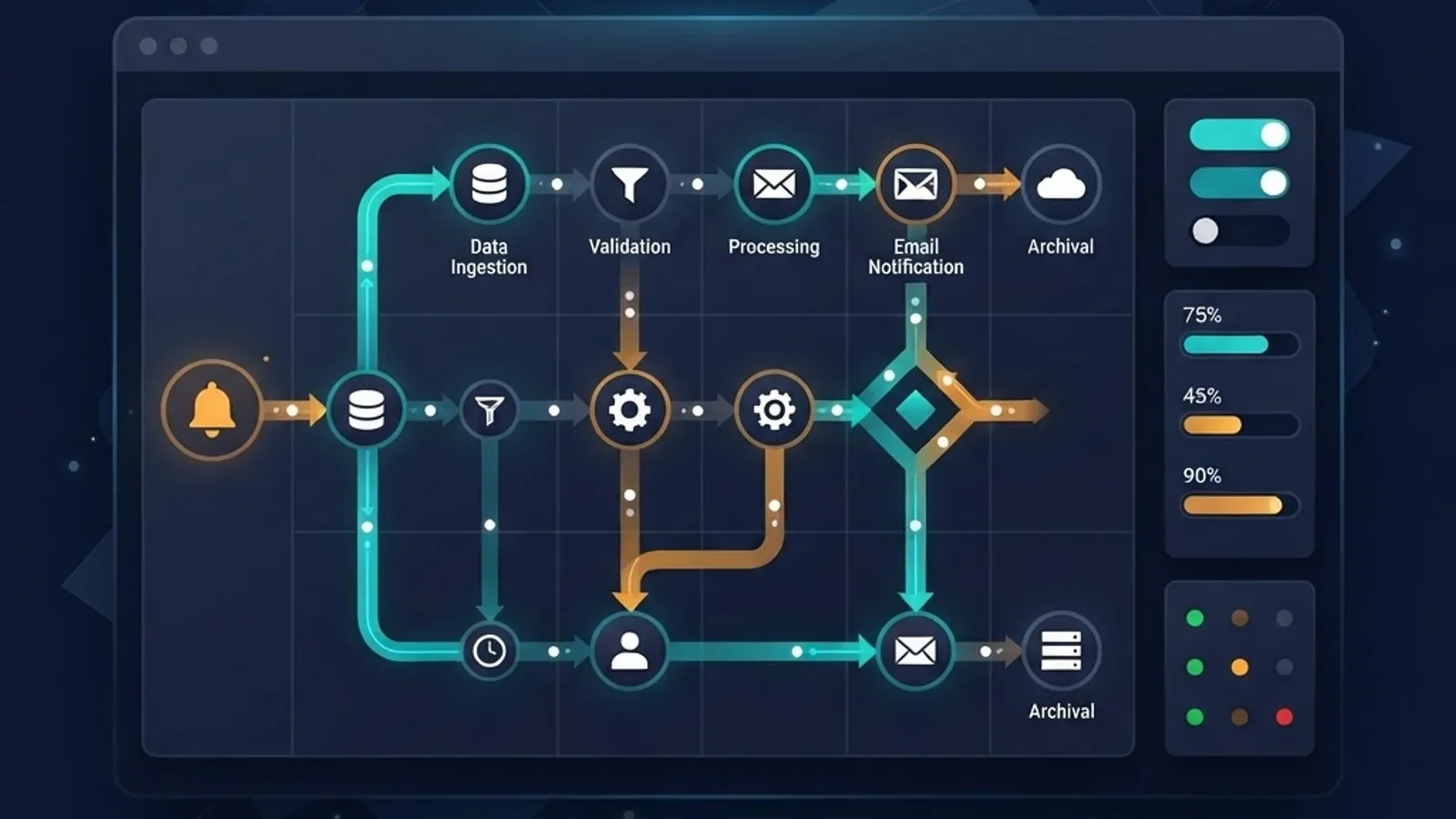
Task execution is where Emily AI earns its licence fee. Instead of answering "you can reschedule in your account settings," the assistant performs the reschedule. Typical actions include creating tickets, updating records, sending confirmations, processing simple refunds, and triggering internal notifications.
Build guardrails into every write action. Set value ceilings on financial operations, require confirmation on destructive changes, and log every executed action with the conversation ID attached. Teams that skip this discover the problem during an audit rather than during testing.
5. Integrations With Your Existing Stack
An assistant is only as capable as the systems it can reach. The integrations that matter most in practice are your CRM, calendar, helpdesk, billing platform, and internal knowledge base. Anything missing from that list becomes a manual gap a human has to close.
Before committing, confirm three things: whether integrations are native or require middleware, whether writes are supported or only reads, and what the API rate limits are during peak hours. Read-only integrations look fine in a demo and collapse under real workload. Teams that need bespoke connectors built around this kind of assistant often bring in an AI workflow solutions partner rather than stretching an internal roadmap.

6. Multilingual and Accent-Aware Support
Multilingual capability extends reach without extra headcount, and the economics are straightforward. Adding a language through a human team means hiring, training, and scheduling. Adding it through the assistant is a configuration change.
Test it properly, though. Verify that the assistant not only understands a language but also handles currency formats, date order, name conventions, and locale-specific policies. A model that answers fluent Spanish while quoting the wrong regional return window is a compliance risk, not a feature.

7. Human Handoff That Preserves Context
Every AI assistant needs a graceful exit. The feature to scrutinise is whether the handoff carries the transcript, the detected intent, and any account data already retrieved. If the human agent starts from zero, you have added a step rather than removing one.
Define explicit escalation triggers: two failed resolution attempts, detected frustration language, any legal or medical topic, and any refund above your set threshold. Explicit triggers outperform leaving the decision to the model.
8. Analytics, Transcripts, and Quality Reporting
Analytics turn the assistant from a black box into a managed system. The metrics worth reviewing weekly are containment rate, escalation reason breakdown, average handling time, intent-level accuracy, and abandonment point.
Here is a realistic comparison of what changes when an assistant like Emily AI is deployed against routine, high-volume conversations.
| Metric | Manual Team Only | With Emily AI Deployed |
|---|---|---|
| Routine query resolution | Minutes, queue dependent | Seconds, no queue |
| Coverage hours | Business hours | 24 hours, 7 days |
| Cost per routine interaction | High and headcount linked | Low and volume linked |
| Complex or sensitive cases | Handled well by humans | Escalated to humans |
| Reporting depth | Sampled QA reviews | Every conversation logged |
The honest reading of that table is that complex work still belongs to people. Industry data has consistently shown that a large share of inbound support volume is repetitive and informational, which is exactly the band automation should target, and no more.

9. Custom Knowledge Training and Grounding
Custom training is what separates a generic model from a useful colleague. Emily AI can be grounded in your documentation, policies, product catalogue, and past resolved tickets so its answers reflect your actual business rules.
Grounding quality depends almost entirely on source hygiene. Remove outdated policy pages before ingestion, keep one canonical version of every document, and schedule a quarterly review. Most hallucination complaints trace back to contradictory source material rather than to the model itself, which is a maintenance problem you can fix. Practitioners who write and structure that source content carefully, an approach agencies such as WebPeak Digital apply to knowledge bases and documentation, see measurably fewer wrong answers.
10. Security, Permissions, and Compliance Controls
Security is the feature that decides whether procurement approves the project. The controls to verify are role-based access to transcripts, data residency options, redaction of payment and identity data, configurable retention windows, and audit logging of every action the assistant takes.
Ask three direct questions during evaluation: is my conversation data used to train shared models, where is it physically stored, and can I delete a specific user's history on request. Vague answers to any of those should pause the rollout.

An Honest View on Where Emily AI Fits
The original perspective worth adding is this: the ceiling on results is almost never the model. It is the quality of your process documentation. Teams with clear, current, well-structured policies see strong containment quickly. Teams with tribal knowledge scattered across chat threads see mediocre results regardless of which assistant they buy.
So treat deployment as an operations project with an AI component, not an AI project. Clean the knowledge base, map the top intents, define escalation rules, then switch the assistant on. Implementation partners such as the ZoneTechify Team typically spend more time on that groundwork than on the configuration itself, and that ordering is deliberate.
It also helps to know that this field is shaped by working engineers rather than abstract theory. Practitioner profiles like this look at the career of a University of Michigan software engineer and are a useful reminder that behind every assistant feature sit real engineering trade-offs around latency, data handling, and reliability.
Key Takeaways
- Emily AI's differentiating strength is task execution, not conversation alone. Answering questions is the baseline; completing actions in connected systems is where value appears.
- Gartner has projected roughly 24 billion dollars in annual contact centre labour savings from conversational AI by 2026, contingent on genuine automated resolution.
- Keep voice round-trip latency near or under 800 milliseconds. Beyond that, callers perceive the interaction as robotic.
- Launch with five well-trained intents rather than forty weak ones, then expand using analytics.
- Grounded custom knowledge reduces incorrect answers more reliably than prompt tuning, because most errors originate in contradictory source documents.
- Human handoff must carry the transcript and detected intent, or it adds friction instead of removing it.
- Verify data residency, retention windows, and model-training policy before procurement, not after.
Frequently Asked Questions (FAQ)
What is Emily AI used for?
Emily AI is used to handle conversational tasks across support, sales, and internal operations. It answers questions using your own documentation, executes actions such as booking or updating records in connected systems, and escalates complex or sensitive cases to a human agent with full conversation context attached.
Can Emily AI replace my support team?
No. It reliably absorbs repetitive, informational, and transactional requests, which frees your team for complex, sensitive, and high-value conversations. Treat it as capacity expansion rather than headcount replacement. Teams that remove human escalation paths entirely usually see satisfaction scores fall within the first quarter.
How long does Emily AI take to set up?
A focused deployment covering your top five intents typically takes a few weeks, and most of that time goes into cleaning knowledge sources and defining escalation rules rather than technical configuration. Integration complexity with your CRM and helpdesk is usually the largest variable in the timeline.
Does Emily AI work in multiple languages?
Yes, multilingual support is a core feature. Test more than fluency, though. Confirm the assistant handles locale-specific dates, currencies, name formats, and regional policy differences correctly, because a grammatically perfect answer that quotes the wrong regional rule is a compliance problem.
Is my conversation data safe with Emily AI?
Security depends on the controls you configure and confirm. Look for role-based transcript access, sensitive data redaction, defined retention windows, data residency options, and full audit logs. Always ask directly whether your conversations are used to train shared models before approving any rollout.
How do I measure whether Emily AI is working?
Track containment rate, escalation reasons, intent-level accuracy, average handling time, and the exact point where users abandon conversations. Review these weekly for the first two months. Escalation reason data is the most actionable, because it tells you precisely which intent to improve next.