
A practical, experience-based guide to JavaScript mobile application development covering frameworks, architecture, performance, testing, security, and real project costs.
JavaScript Mobile Application Development
JavaScript mobile application development means building installable iOS and Android apps using JavaScript or TypeScript instead of writing separate Swift and Kotlin codebases. In 2026 this is no longer a compromise choice. Frameworks like React Native and Expo now compile to genuinely native UI components, ship over-the-air updates, and access the same camera, biometrics, Bluetooth, and background-location APIs a native team would use.
The honest question is not whether JavaScript can build production mobile apps. Bloomberg, Shopify, Discord, and Microsoft Office already prove it can. The real question is where JavaScript is the correct engineering decision and where it will quietly cost you money. This guide answers both from the perspective of teams who ship and maintain these apps.

Quick Answer: JavaScript mobile application development uses frameworks like React Native, Expo, Ionic, or NativeScript to build iOS and Android apps from one JavaScript or TypeScript codebase. It typically shares 85 to 95 percent of code across platforms, cuts delivery time and cost roughly in half, and delivers near-native performance for most business, commerce, and content apps.
What Exactly Is JavaScript Mobile Application Development?
Definition: JavaScript mobile application development is the practice of writing an app's business logic and interface in JavaScript or TypeScript, then rendering it on a mobile device either through native platform components (React Native, NativeScript) or through an embedded browser engine (Ionic, Capacitor, Cordova).
The distinction between those two rendering models matters more than framework branding. A native-rendering framework converts your <View> into a real UIView on iOS and an android.view.View on Android, so scrolling, gestures, and animation are handled by the operating system. A WebView-based framework paints your app inside a browser shell, which is faster to build but shows its seams in long lists, complex gestures, and heavy animation.
According to the Stack Overflow Developer Survey, JavaScript has been the most commonly used programming language for more than a decade running, which is the strategic advantage here: you hire from the largest talent pool in software, and your web and mobile teams become interchangeable.
Which JavaScript Framework Should You Choose?
Choose based on how much your app depends on device hardware and animation, not on popularity.

| Framework | Rendering | Best For | Code Sharing With Web | Native Module Access |
|---|---|---|---|---|
| React Native + Expo | Native components | Most production apps, MVPs to scale | Partial (logic and state) | Excellent |
| Ionic + Capacitor | WebView | Content, forms, internal tools | Very high | Good via plugins |
| NativeScript | Native components | Deep platform API work | Low | Excellent |
| Capacitor + existing web app | WebView | Wrapping a working web product fast | Near total | Good |
When React Native and Expo Are the Right Call
Pick React Native with Expo when you need App Store presence, push notifications, camera or media handling, offline data, and 60fps interactions. Expo's managed workflow removes most Xcode and Gradle configuration, and EAS Build produces signed binaries from a cloud pipeline, so a team without a Mac can still ship to iOS.
When a WebView Framework Is Actually Smarter
Pick Ionic or Capacitor when you already have a working responsive web application and the mobile app is mainly a distribution channel. Wrapping an existing product with Capacitor can produce a store-ready app in days rather than months. Internal tools, booking portals, and dashboard companions rarely justify a rewrite.
How Does the Architecture Actually Work?
Understanding the runtime prevents the performance mistakes that make people blame JavaScript for slow apps.

Your JavaScript runs in a dedicated engine, Hermes in modern React Native, on its own thread. The UI runs on the platform's main thread. Modern React Native's New Architecture replaced the old asynchronous bridge with JSI, a direct synchronous interface between JavaScript and C++, plus Fabric for rendering and TurboModules for lazily loaded native code.
Three practical consequences follow:
- Never block the JavaScript thread. A synchronous JSON parse of a large payload freezes your touch handling.
- Move animation off the JavaScript thread. Use Reanimated worklets so gestures keep running even if your logic is busy.
- Write a native module rather than fight the platform. A 60-line Swift or Kotlin module beats a 600-line JavaScript workaround.
What Does a Realistic Development Workflow Look Like?
A disciplined workflow is what separates a demo from a maintainable product.

- Define platform boundaries first. Decide which screens are shared and which are platform-specific before writing code, using the
.ios.tsxand.android.tsxfile conventions. - Adopt TypeScript from commit one. Retrofitting types into a shipped app is significantly more expensive than starting typed.
- Build a typed API layer. Centralise fetching, retries, and error shapes so screens contain only presentation logic.
- Test on real hardware weekly. Simulators hide thermal throttling, low-memory kills, and slow network behaviour.
- Automate builds early. Set up EAS Build or Fastlane in week one; store submission problems always surface at the worst moment.
- Ship over-the-air updates for JavaScript-only fixes. This is a genuine advantage native apps do not have.
Teams that need this scaffolding built correctly the first time often work with a specialist partner such as ZoneTechify's mobile app development team, who handle the release engineering and native module work that trips up web-first developers.
How Do You Make a JavaScript App Feel Native?
Performance in JavaScript mobile apps is almost always an architecture problem, not a language limit.

- Use FlashList or FlatList with stable keys and fixed item heights. Rendering a thousand rows with
.map()is the single most common cause of jank. - Enable Hermes and precompiled bytecode. Hermes cuts app startup time substantially compared with older JavaScript engines because it skips runtime parsing.
- Memoize expensive components and selectors. Uncontrolled re-renders cost more than any bundle size problem.
- Compress and cache images aggressively. Ship WebP, size assets to their display dimensions, and use a caching image component.
- Measure with real tooling. Use Flipper, the React DevTools profiler, and Xcode's Instruments rather than guessing.
Startup time deserves special attention. Google research found that 53 percent of mobile site visits are abandoned if loading takes longer than three seconds, and user tolerance for a cold app launch is no more sympathetic. Treat time-to-interactive as a release gate.
How Should You Handle UI and Design Consistency?
Build a small design system before you build screens.
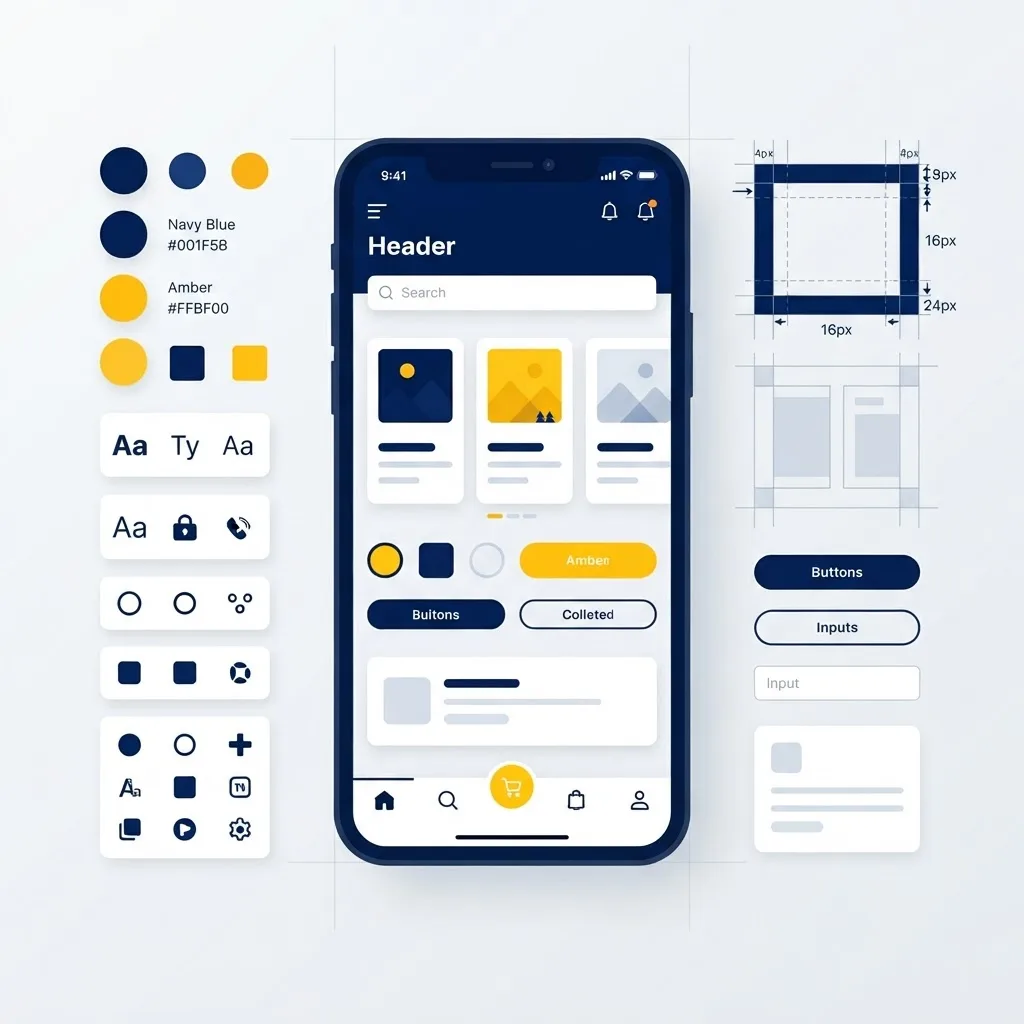
Define tokens for spacing, typography, colour, and radius, then compose every screen from a handful of primitives. Respect platform conventions where users expect them: iOS uses swipe-back navigation and bottom sheets, Android expects hardware back handling and material ripple feedback. Ignoring these details is what makes an app feel foreign even when it is technically fast.
Also design for the physical device. Handle safe-area insets, dynamic type sizes, dark mode, and one-handed reach. Interactive targets should be at least 44 by 44 points on iOS and 48dp on Android to remain accessible.
What About Security, Offline Data, and Trust?
Mobile apps are shipped to devices you do not control, so client-side secrets are public secrets.

- Never bundle API keys or private credentials. Anything in the JavaScript bundle can be extracted from the binary.
- Store tokens in Keychain or Keystore, not AsyncStorage, using a secure-store library.
- Encrypt local databases holding personal or financial records.
- Enforce authorisation server-side for every request; client checks are UX, not security.
- Design offline-first for field apps. A local database with a queued sync layer prevents data loss on poor connections.
How Do You Test and Release Confidently?
Automate the boring checks so humans test the risky flows.

Use Jest for logic, React Native Testing Library for component behaviour, and Maestro or Detox for end-to-end flows covering login, payment, and onboarding. Run these in CI on every pull request. Distribute release candidates through TestFlight and Google Play internal testing, and keep crash reporting with source maps enabled from your first public build. Teams that audit their release pipeline and technical SEO for companion web properties frequently pair this work with performance specialists like WebPeak.
What Does It Cost and How Long Does It Take?
Budget by scope, not by framework.

A focused MVP with authentication, a core feature set, and payments typically runs six to twelve weeks with a small team. A mature product with offline sync, real-time features, and native integrations runs four to nine months. The reliable saving from JavaScript is maintenance: one codebase means one bug fix, one feature branch, and one QA cycle instead of two, which is where the compounding cost advantage actually lives.
Agencies such as ZoneTechify usually recommend a phased release, shipping a narrow but polished version one, because store reviews are driven by stability far more than feature count.
Key Takeaways
- JavaScript mobile apps share roughly 85 to 95 percent of code across iOS and Android.
- React Native with Expo suits most production apps; Capacitor suits wrapping existing web products.
- The New Architecture uses JSI, Fabric, and TurboModules instead of the legacy asynchronous bridge.
- Hermes bytecode meaningfully reduces cold start time.
- Google reports 53 percent of mobile visits are abandoned after three seconds of loading.
- Never store secrets in the JavaScript bundle; use Keychain or Keystore for tokens.
- Over-the-air updates let you patch JavaScript without a store review.
Frequently Asked Questions (FAQ)
Can you really build a mobile app with just JavaScript?
Yes. Frameworks like React Native, Expo, Ionic, and NativeScript let you build installable iOS and Android apps in JavaScript or TypeScript. Apps from Shopify, Discord, and Bloomberg run on this approach. You may still add small native modules for specialised hardware or SDK features.
Is React Native slower than a native Swift or Kotlin app?
For typical business, commerce, and content apps, users cannot tell the difference. React Native renders real native components and Hermes plus Reanimated keep interactions smooth. Native still wins for heavy 3D graphics, intensive real-time video processing, and computationally demanding games.
How much money does cross-platform development actually save?
Most teams see roughly 30 to 50 percent lower initial build cost versus two native codebases, and larger savings over time. The compounding advantage is maintenance: every fix, feature, and QA cycle happens once rather than twice across two separate platform teams.
Should I choose React Native or Ionic for my project?
Choose React Native if your app needs smooth animation, complex gestures, camera work, or heavy device integration. Choose Ionic or Capacitor if you already have a working responsive web application and need a store presence quickly with minimal rewriting of existing code.
Do JavaScript apps get rejected from the App Store?
No, framework choice is not a rejection reason. Rejections come from missing privacy disclosures, broken demo accounts, misuse of permissions, or thin functionality. Prepare accurate privacy labels, working test credentials, and clear permission descriptions before submitting your build.
Can I update my app without waiting for store review?
Yes, for JavaScript-only changes. Expo Updates and similar over-the-air systems push new bundles directly to installed apps. Changes involving native code, new permissions, or SDK upgrades still require a full binary submission and normal platform review.